Provide a 5” capacitive touchscreen interface for Room Scheduling
Wall mountable 5” touchscreen user interface for viewing and booking a shared space
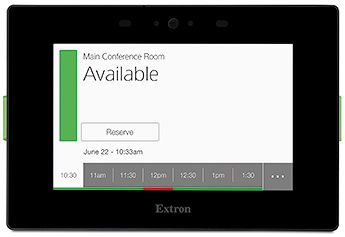
Provide a 5” LCD touchscreen that supports up to 16.7M colors and 800x480 resolution
Device shall feature scratch and smudge-resistant Corning® Gorilla Glass®
Device shall include dual built-in rear firing speakers which can be configured to provide button feedback
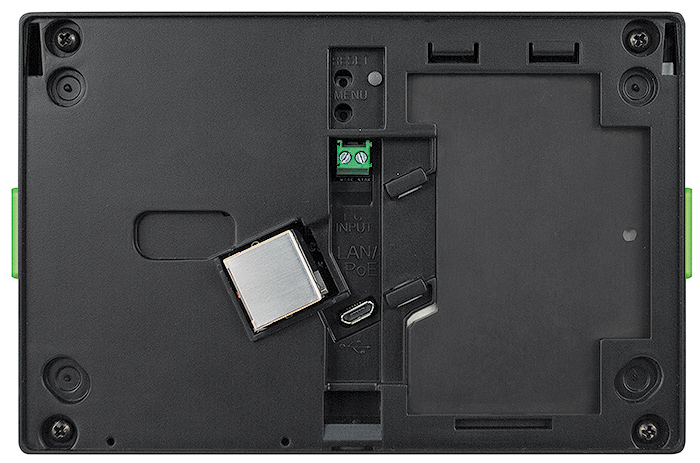
Device shall have a female RJ-45 jack located on the back of the enclosure that supports 10/100/1000Base-T, half/full duplex with auto-detect for connection to a LAN or WAN and includes link and activity LED indicators located on the left and right of the jack for troubleshooting network issues as well as supports PoE- Power over Ethernet, 802.3af
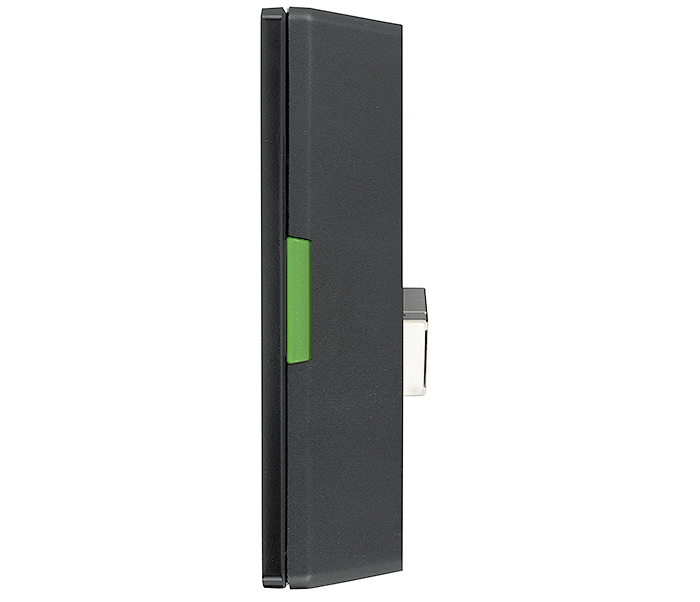
Device shall include a single high-speed micro USB 2.0 type B receptacle located on the back of the enclosure
Provide two red/green LEDs along the left and right sides of the display to indicate room status
Device shall feature a digital input on the back of the panel
Provide a built-in motion sensor located on the top bezel of the touch surface allowing the panel to be woken from a sleep state
Provide a light sensor located on the top bezel of the touch surface that automatically adjusts the LCD screen’s backlight based on available ambient light
Device shall have a menu button located on the back setup of items such as IP address and sound volume at minimum
Device shall include a multi-function button located on the back of the enclosure that allows for the reset of the device or its communication properties at minimum
Device shall support the following protocols: DHCP, DNS, HTTP, HTTPS, ICMP, SFTP, SSH, TCP/IP, UDP/IP, NTP
Device shall have the following memory available, at minimum:
SDRAM
2 GB
Flash
4 GB
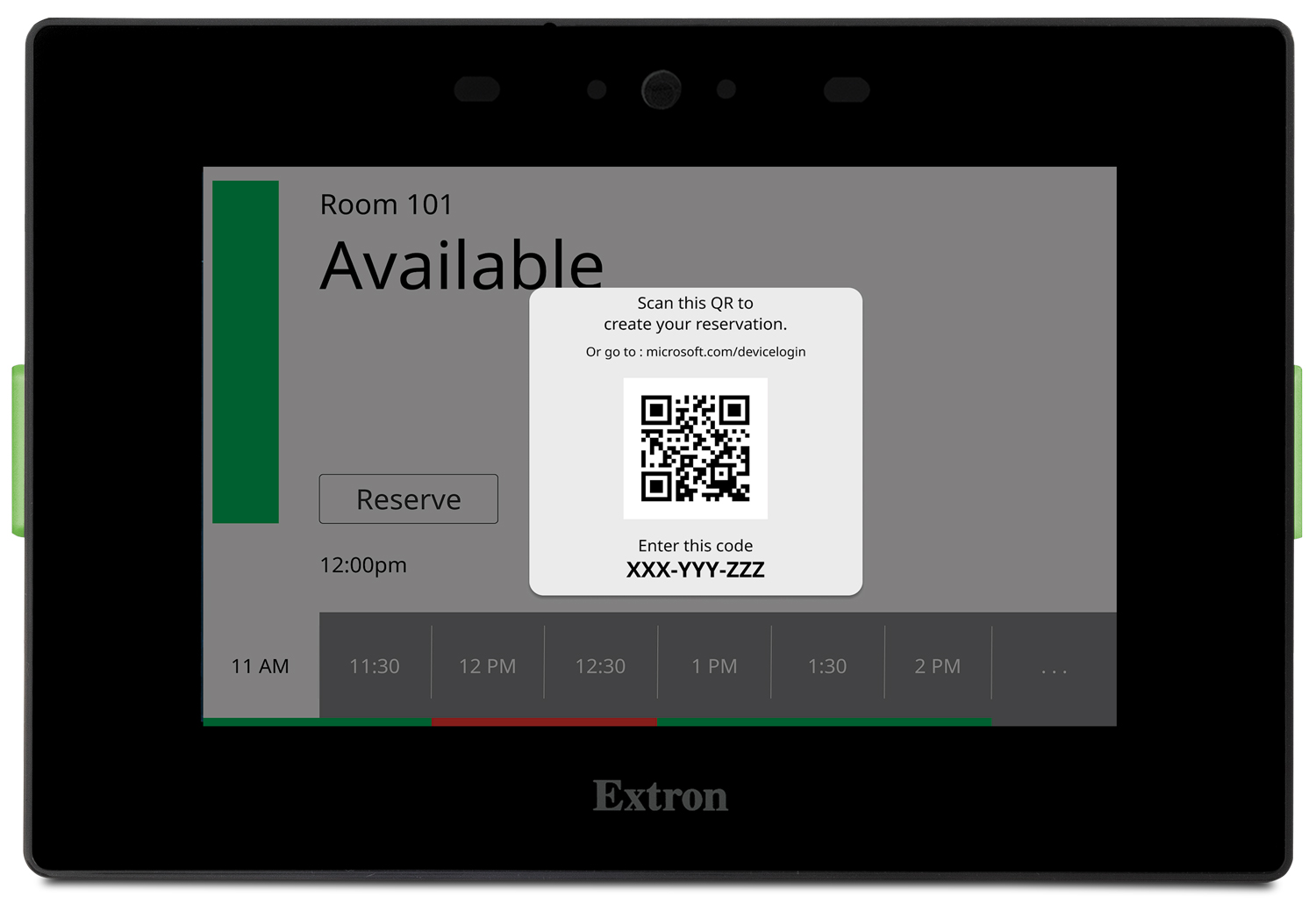
Device shall be black in color
Device shall support a direct connection to the following calendar servers:
Microsoft® Exchange
Office 365™
Google Calendar™
Device shall support the following calendar configuration options:
NTLM or Basic Authentication for Exchange and Office 365 environments
Service Accounts for Exchange and Office 365 environments
OAuth2 Authentication for Google Environments
Device shall support the following user interface customization options:
The choice between a Dark and Light Theme
Choice of background image
Overlay opacity
Time Format
Room Availability Format
Date Format
Interface text fields to be shown or hidden
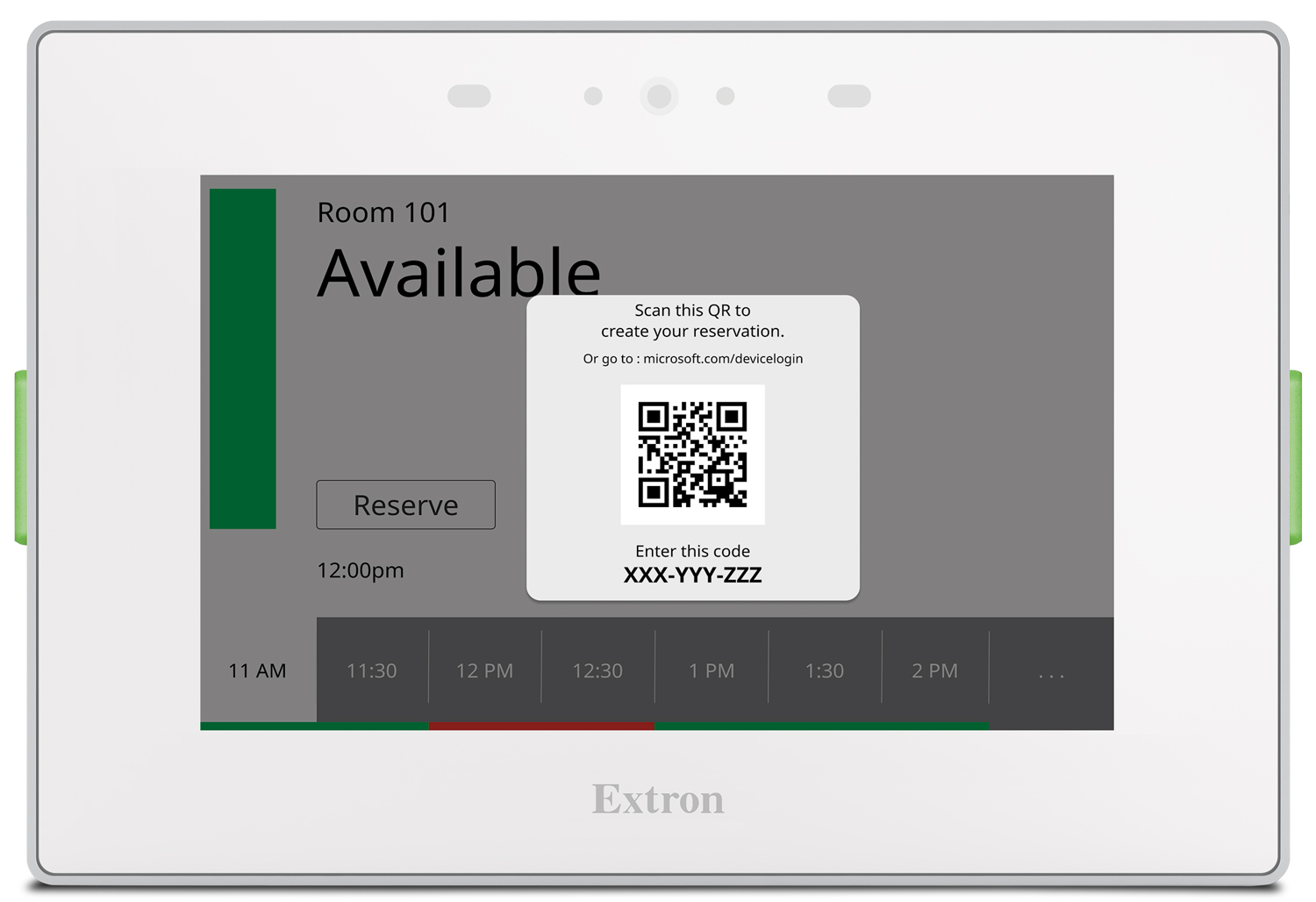
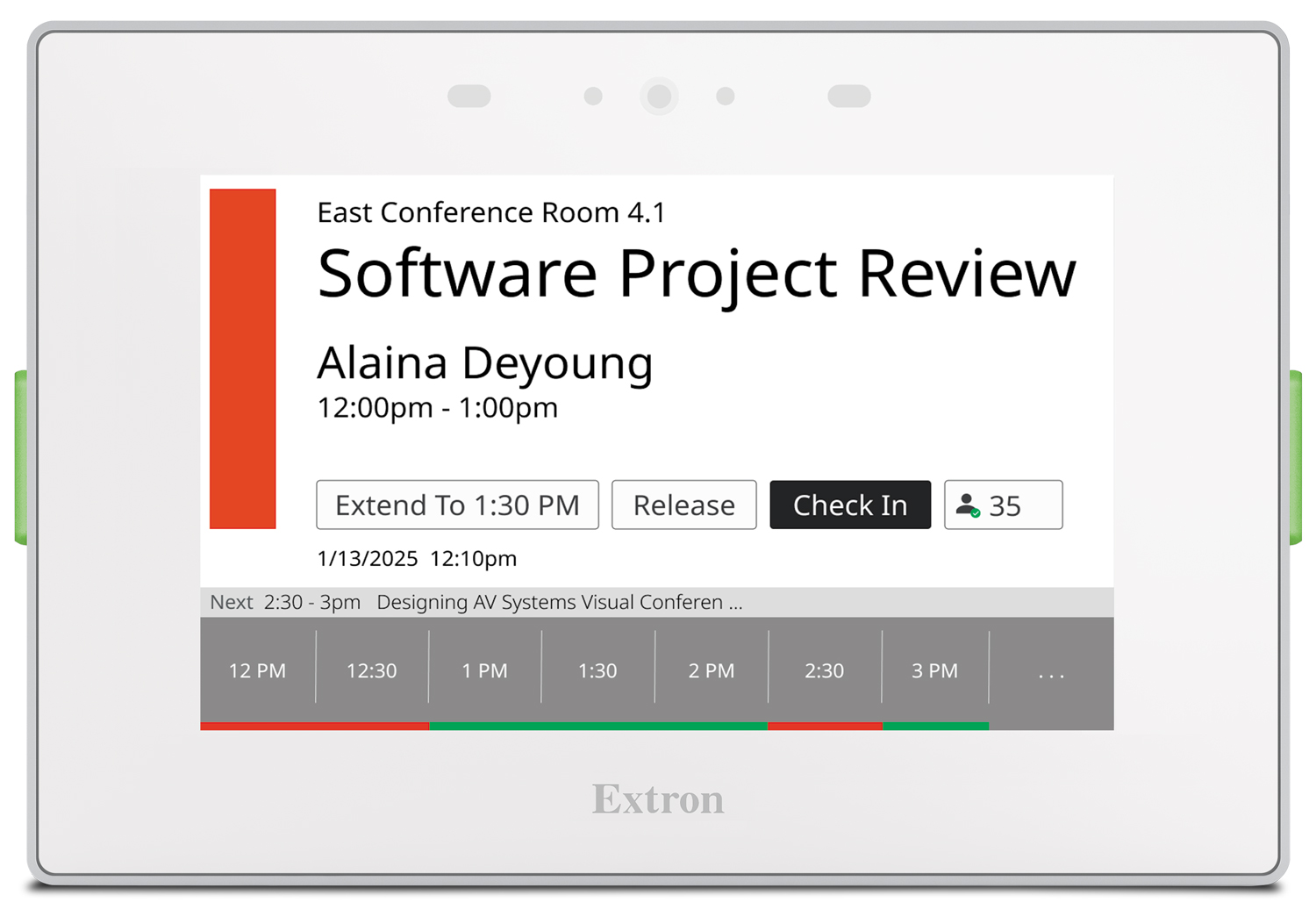
Device shall allow the user to see all the meetings scheduled for the day directly from the touchscreen
Device shall allow for the ability to check in to a meeting
Device shall allow for a meeting to be extended
Device shall allow for the ability to release a room
Device shall allow for the ability to book a room ad hoc
Device shall support the ability to download an activity file that enables you to generate analytics on usage, as well as view activity patterns and trends
Device shall have no annual subscription or maintenance fees
Device shall support at least 26 languages
Device shall support room occupancy sensors allowing for a room to be released if no motion is detected
Mounting requirements
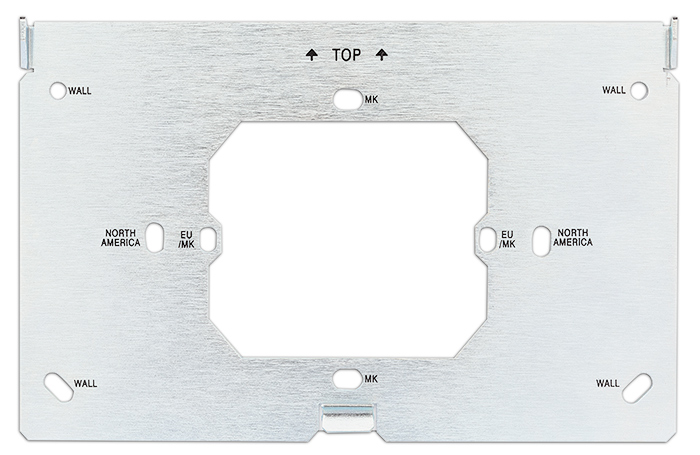
Device shall have the ability to be mounted directly in a wall, lectern, or other flat surface and shall be able to be secured using the included mounting plate
Device shall have the ability to be recessed in the wall using an optional recessed wall mount kit
Device shall have the ability to be mounted to a glass surface using an optional surface mounting kit
Software requirements
Scheduling panels shall be set up using Extron’s Room Agent Software.
Security requirements
Device shall support HTTPS for secure communication between the touchpanel and the calendar server.
Device shall support SFTP and SSH for secure communication between the TLS panel and Room Agent software.
Device shall provide the option to modify administrator credentials
Device shall securely store all third-party credentials
Extron shall furnish documentation that describes all supported network ports and services
Shall meet regulatory compliances
CE
c-UL
UL
C-Tick
FCC Class B
ICES
VCCI
RoHS
WEEE
Product Warranty
Shall provide at least 3 years parts and labor
Shall provide 1-year touchscreen and overlay components
Approved device shall be the Extron TLS 525M, part number 60-1561-102; no alternates or equals
TLS 525M
Provide a 5” capacitive touchscreen interface for Room Scheduling
Wall mountable 5” touchscreen user interface for viewing and booking a shared space
Provide a 5” LCD touchscreen that supports up to 16.7M colors and 800x480 resolution
Device shall feature scratch and smudge-resistant Corning® Gorilla Glass®
Device shall include dual built-in rear firing speakers which can be configured to provide button feedback
Device shall have a female RJ-45 jack located on the back of the enclosure that supports 10/100/1000Base-T, half/full duplex with auto-detect for connection to a LAN or WAN and includes link and activity LED indicators located on the left and right of the jack for troubleshooting network issues as well as supports PoE- Power over Ethernet, 802.3af
Device shall include a single high-speed micro USB 2.0 type B receptacle located on the back of the enclosure
Provide two red/green LEDs along the left and right sides of the display to indicate room status
Device shall feature a digital input on the back of the panel
Provide a built-in motion sensor located on the top bezel of the touch surface allowing the panel to be woken from a sleep state
Provide a light sensor located on the top bezel of the touch surface that automatically adjusts the LCD screen’s backlight based on available ambient light
Device shall have a menu button located on the back setup of items such as IP address and sound volume at minimum
Device shall include a multi-function button located on the back of the enclosure that allows for the reset of the device or its communication properties at minimum
Device shall support the following protocols: DHCP, DNS, HTTP, HTTPS, ICMP, SFTP, SSH, TCP/IP, UDP/IP, NTP
Device shall have the following memory available, at minimum:
SDRAM
2 GB
Flash
4 GB
Device shall be black in color
Device shall support a direct connection to the following calendar servers:
Microsoft® Exchange
Office 365™
Google Calendar™
Device shall support the following calendar configuration options:
NTLM or Basic Authentication for Exchange and Office 365 environments
Service Accounts for Exchange and Office 365 environments
OAuth2 Authentication for Google Environments
Device shall support the following user interface customization options:
The choice between a Dark and Light Theme
Choice of background image
Overlay opacity
Time Format
Room Availability Format
Date Format
Interface text fields to be shown or hidden
Device shall allow the user to see all the meetings scheduled for the day directly from the touchscreen
Device shall allow for the ability to check in to a meeting
Device shall allow for a meeting to be extended
Device shall allow for the ability to release a room
Device shall allow for the ability to book a room ad hoc
Device shall support the ability to download an activity file that enables you to generate analytics on usage, as well as view activity patterns and trends
Device shall have no annual subscription or maintenance fees
Device shall support at least 26 languages
Device shall support room occupancy sensors allowing for a room to be released if no motion is detected
Mounting requirements
Device shall have the ability to be mounted directly in a wall, lectern, or other flat surface and shall be able to be secured using the included mounting plate
Device shall have the ability to be recessed in the wall using an optional recessed wall mount kit
Device shall have the ability to be mounted to a glass surface using an optional surface mounting kit
Software requirements
Scheduling panels shall be set up using Extron’s Room Agent Software.
Security requirements
Device shall support HTTPS for secure communication between the touchpanel and the calendar server.
Device shall support SFTP and SSH for secure communication between the TLS panel and Room Agent software.
Device shall provide the option to modify administrator credentials
Device shall securely store all third-party credentials
Extron shall furnish documentation that describes all supported network ports and services
Shall meet regulatory compliances
CE
c-UL
UL
C-Tick
FCC Class B
ICES
VCCI
RoHS
WEEE
Product Warranty
Shall provide at least 3 years parts and labor
Shall provide 1-year touchscreen and overlay components
Approved device shall be the Extron TLS 525M, part number 60-1561-102; no alternates or equals
TLS 525M
Provide a 5” capacitive touchscreen interface for Room Scheduling
Wall mountable 5” touchscreen user interface for viewing and booking a shared space
Provide a 5” LCD touchscreen that supports up to 16.7M colors and 800x480 resolution
Device shall feature scratch and smudge-resistant Corning® Gorilla Glass®
Device shall include dual built-in rear firing speakers which can be configured to provide button feedback
Device shall have a female RJ-45 jack located on the back of the enclosure that supports 10/100/1000Base-T, half/full duplex with auto-detect for connection to a LAN or WAN and includes link and activity LED indicators located on the left and right of the jack for troubleshooting network issues as well as supports PoE- Power over Ethernet, 802.3af
Device shall include a single high-speed micro USB 2.0 type B receptacle located on the back of the enclosure
Provide two red/green LEDs along the left and right sides of the display to indicate room status
Device shall feature a digital input on the back of the panel
Provide a built-in motion sensor located on the top bezel of the touch surface allowing the panel to be woken from a sleep state
Provide a light sensor located on the top bezel of the touch surface that automatically adjusts the LCD screen’s backlight based on available ambient light
Device shall have a menu button located on the back setup of items such as IP address and sound volume at minimum
Device shall include a multi-function button located on the back of the enclosure that allows for the reset of the device or its communication properties at minimum
Device shall support the following protocols: DHCP, DNS, HTTP, HTTPS, ICMP, SFTP, SSH, TCP/IP, UDP/IP, NTP
Device shall have the following memory available, at minimum:
SDRAM
2 GB
Flash
4 GB
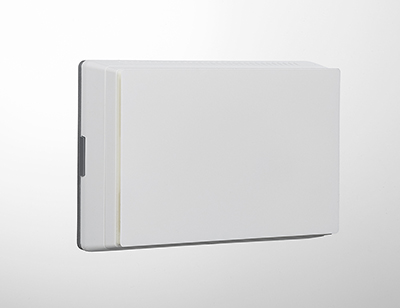
Device shall be white in color
Device shall support a direct connection to the following calendar servers:
Microsoft® Exchange
Office 365™
Google Calendar™
Device shall support the following calendar configuration options:
NTLM or Basic Authentication for Exchange and Office 365 environments
Service Accounts for Exchange and Office 365 environments
OAuth2 Authentication for Google Environments
Device shall support the following user interface customization options:
The choice between a Dark and Light Theme
Choice of background image
Overlay opacity
Time Format
Room Availability Format
Date Format
Interface text fields to be shown or hidden
Device shall allow the user to see all the meetings scheduled for the day directly from the touchscreen
Device shall allow for the ability to check in to a meeting
Device shall allow for a meeting to be extended
Device shall allow for the ability to release a room
Device shall allow for the ability to book a room ad hoc
Device shall support the ability to download an activity file that enables you to generate analytics on usage, as well as view activity patterns and trends
Device shall have no annual subscription or maintenance fees
Device shall support at least 26 languages
Device shall support room occupancy sensors allowing for a room to be released if no motion is detected
Mounting requirements
Device shall have the ability to be mounted directly in a wall, lectern, or other flat surface and shall be able to be secured using the included mounting plate
Device shall have the ability to be recessed in the wall using an optional recessed wall mount kit
Device shall have the ability to be mounted to a glass surface using an optional surface mounting kit
Software requirements
Scheduling panels shall be set up using Extron’s Room Agent Software.
Security requirements
Device shall support HTTPS for secure communication between the touchpanel and the calendar server.
Device shall support SFTP and SSH for secure communication between the TLS panel and Room Agent software.
Device shall provide the option to modify administrator credentials
Device shall securely store all third-party credentials
Extron shall furnish documentation that describes all supported network ports and services
Shall meet regulatory compliances
CE
c-UL
UL
C-Tick
FCC Class B
ICES
VCCI
RoHS
WEEE
Product Warranty
Shall provide at least 3 years parts and labor
Shall provide 1-year touchscreen and overlay components
Approved device shall be the Extron TLS 525M, part number 60-1561-103; no alternates or equals
TLS 525M
Provide a 5” capacitive touchscreen interface for Room Scheduling
Wall mountable 5” touchscreen user interface for viewing and booking a shared space
Provide a 5” LCD touchscreen that supports up to 16.7M colors and 800x480 resolution
Device shall feature scratch and smudge-resistant Corning® Gorilla Glass®
Device shall include dual built-in rear firing speakers which can be configured to provide button feedback
Device shall have a female RJ-45 jack located on the back of the enclosure that supports 10/100/1000Base-T, half/full duplex with auto-detect for connection to a LAN or WAN and includes link and activity LED indicators located on the left and right of the jack for troubleshooting network issues as well as supports PoE- Power over Ethernet, 802.3af
Device shall include a single high-speed micro USB 2.0 type B receptacle located on the back of the enclosure
Provide two red/green LEDs along the left and right sides of the display to indicate room status
Device shall feature a digital input on the back of the panel
Provide a built-in motion sensor located on the top bezel of the touch surface allowing the panel to be woken from a sleep state
Provide a light sensor located on the top bezel of the touch surface that automatically adjusts the LCD screen’s backlight based on available ambient light
Device shall have a menu button located on the back setup of items such as IP address and sound volume at minimum
Device shall include a multi-function button located on the back of the enclosure that allows for the reset of the device or its communication properties at minimum
Device shall support the following protocols: DHCP, DNS, HTTP, HTTPS, ICMP, SFTP, SSH, TCP/IP, UDP/IP, NTP
Device shall have the following memory available, at minimum:
SDRAM
2 GB
Flash
4 GB
Device shall be white in color
Device shall support a direct connection to the following calendar servers:
Microsoft® Exchange
Office 365™
Google Calendar™
Device shall support the following calendar configuration options:
NTLM or Basic Authentication for Exchange and Office 365 environments
Service Accounts for Exchange and Office 365 environments
OAuth2 Authentication for Google Environments
Device shall support the following user interface customization options:
The choice between a Dark and Light Theme
Choice of background image
Overlay opacity
Time Format
Room Availability Format
Date Format
Interface text fields to be shown or hidden
Device shall allow the user to see all the meetings scheduled for the day directly from the touchscreen
Device shall allow for the ability to check in to a meeting
Device shall allow for a meeting to be extended
Device shall allow for the ability to release a room
Device shall allow for the ability to book a room ad hoc
Device shall support the ability to download an activity file that enables you to generate analytics on usage, as well as view activity patterns and trends
Device shall have no annual subscription or maintenance fees
Device shall support at least 26 languages
Device shall support room occupancy sensors allowing for a room to be released if no motion is detected
Mounting requirements
Device shall have the ability to be mounted directly in a wall, lectern, or other flat surface and shall be able to be secured using the included mounting plate
Device shall have the ability to be recessed in the wall using an optional recessed wall mount kit
Device shall have the ability to be mounted to a glass surface using an optional surface mounting kit
Software requirements
Scheduling panels shall be set up using Extron’s Room Agent Software.
Security requirements
Device shall support HTTPS for secure communication between the touchpanel and the calendar server.
Device shall support SFTP and SSH for secure communication between the TLS panel and Room Agent software.
Device shall provide the option to modify administrator credentials
Device shall securely store all third-party credentials
Extron shall furnish documentation that describes all supported network ports and services
Shall meet regulatory compliances
CE
c-UL
UL
C-Tick
FCC Class B
ICES
VCCI
RoHS
WEEE
Product Warranty
Shall provide at least 3 years parts and labor
Shall provide 1-year touchscreen and overlay components
Approved device shall be the Extron TLS 525M, part number 60-1561-103; no alternates or equals



 Chrome
 Firefox
 Edge
Edge
 Safari